
- Compatible Versions
- 2.3
- Visible Branding
- No
Hotlink Converter is an admin tool that batch-converts externally hotlinked images in XFRM resource descriptions into locally-stored XenForo attachments. It scans
Built as a one-time migration tool for forums with legacy resource content that hotlinks images from external hosts that may go offline at any time.
[IMG]https://external.com/pic.jpg[/IMG]BB code tags, downloads the images, creates proper XF attachments, and replaces the BB code with [ATTACH=full]id[/ATTACH].Built as a one-time migration tool for forums with legacy resource content that hotlinks images from external hosts that may go offline at any time.
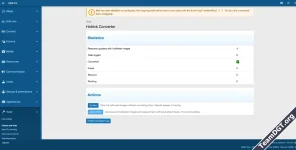
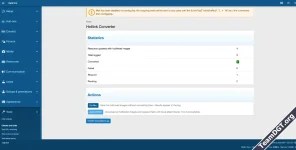
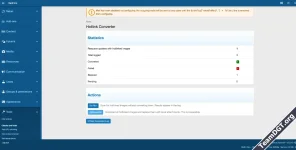
- Admin Dashboard - Shows how many resource updates contain hotlinked images, conversion statistics (converted/failed/skipped/pending), and action buttons.
- Dry Run Mode - Preview what will be converted without downloading anything. Results appear in the conversion log as "pending" entries.
- Live Conversion - Downloads external images, creates XF attachments, and replaces tags with [/CODE]
The image is now stored locally as a proper XF attachment, associated with the resource update. It will survive even if the external host goes offline.
- Architecture: Service + Job + Repository pattern. One database table
(xf_qubn_hlc_conversion_log)for audit logging. - Downloads: Uses XF's built-in
getUntrusted()HTTP reader with SSRF protection. 15-second timeout, 10MB file size limit per image. - Supported formats: JPG, JPEG, PNG, GIF, WebP, BMP
- Attachment creation: Uses XF's native
PreparerService- same API as manual uploads. Properly updatesattach_counton the resource update. - Job processing: Cursor-based resumable job. Processes 50 resource updates per batch with time-limit checks. Can be cancelled from the AdminCP job queue.
- Compatibility: Requires XenForo 2.3.0+ and XF Resource Manager 2.3.0+
- Code Quality: PHPStan level 3 clean. No class extensions - completely self-contained.
- Download and extract the ZIP file
- Upload the
Qubn/HotlinkConverter/folder tosrc/addons/ - Go to AdminCP > Add-ons > Install from archive (or Install/upgrade)
- Navigate to AdminCP > Tools > Hotlink Converter
- Architecture: Service + Job + Repository pattern. One database table